



Install SPARTANS APP on Your Phone
Enjoy faster access and a seamless app-like experience. Install Spartans on your home screen in just a few taps - no app store required.
For iPhone & iPad (Safari)
Add Spartans to Your Home Screen (iOS)

1. Open Spartans.com in Safari
First, launch the Safari browser and go to spartans.com.

2. Tap the More Button
Tap the more icon in the navigation bar. And then tap “Share” It looks like a square with an arrow pointing up.
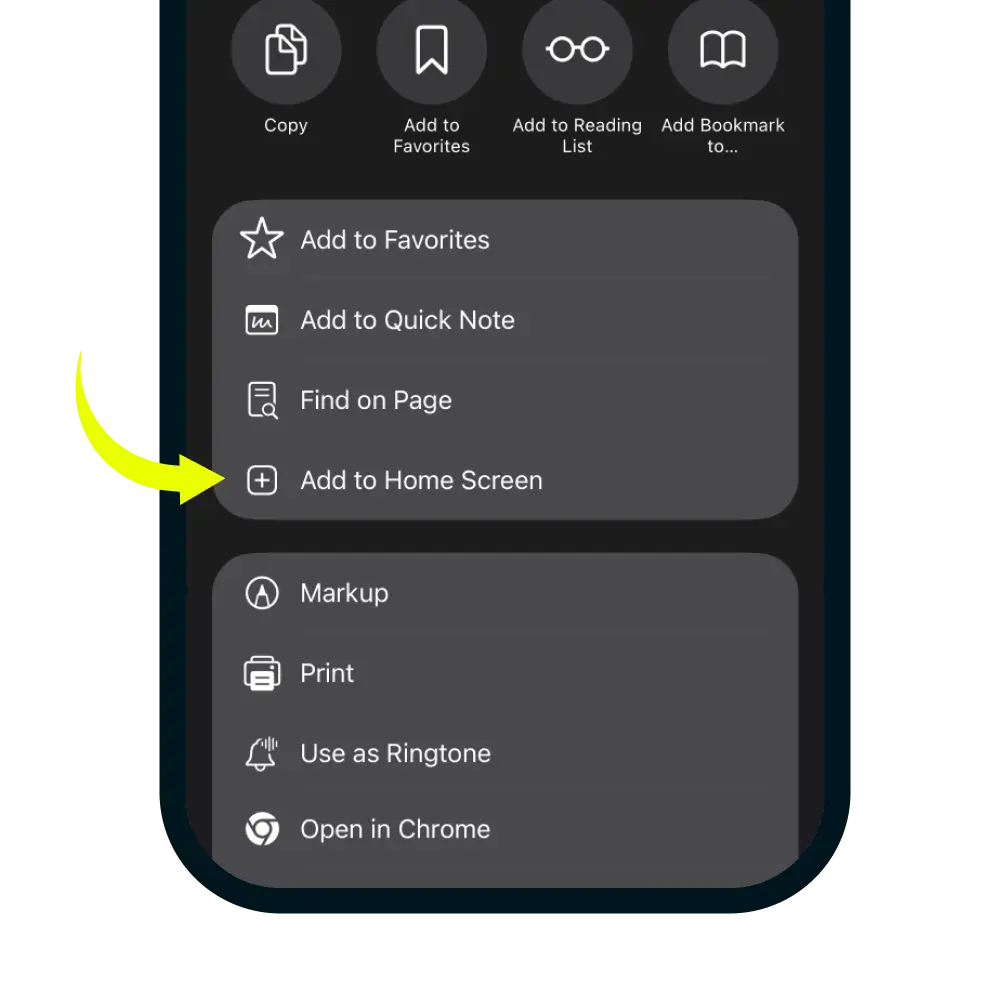
3. Select Add to Home Screen
In the share menu, click more button and scroll down the list of options and tap 'Add to Home Screen'.
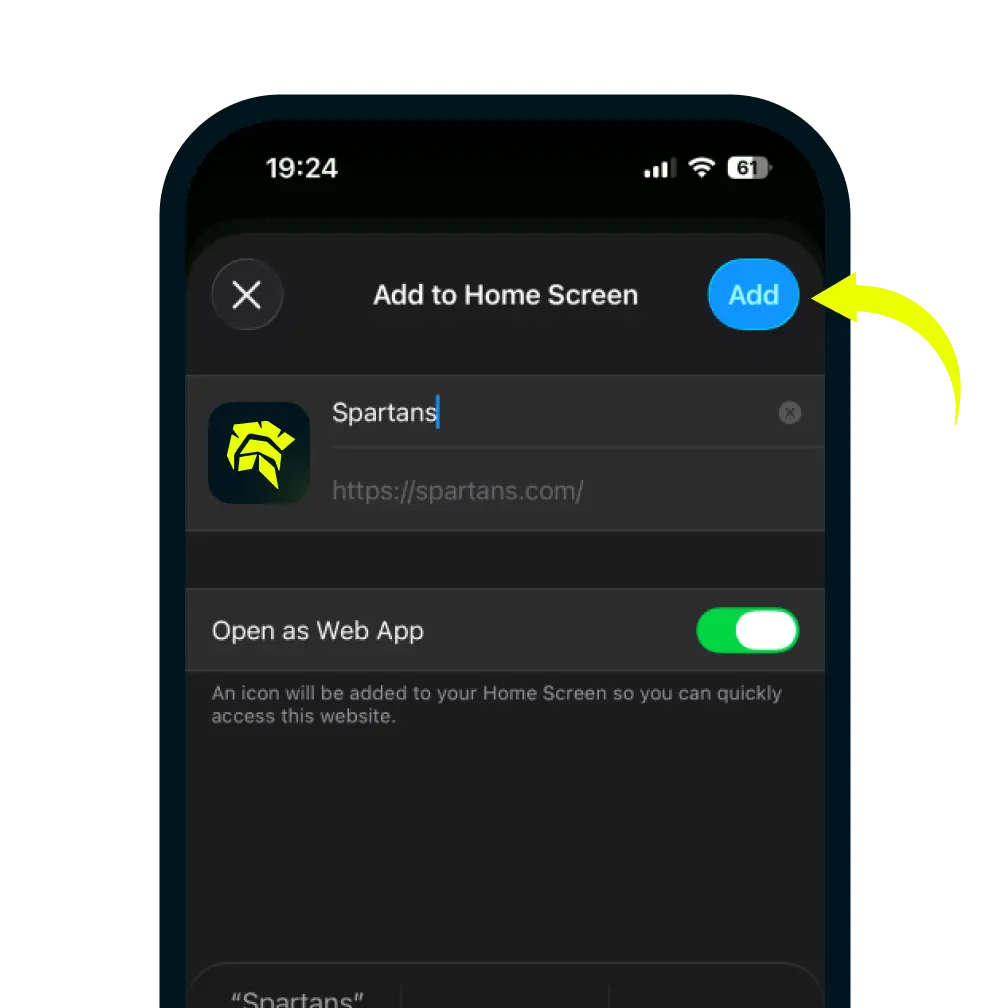
4. Confirm and Add
You can edit the name for the shortcut, then tap Add in the top-right corner to finish.